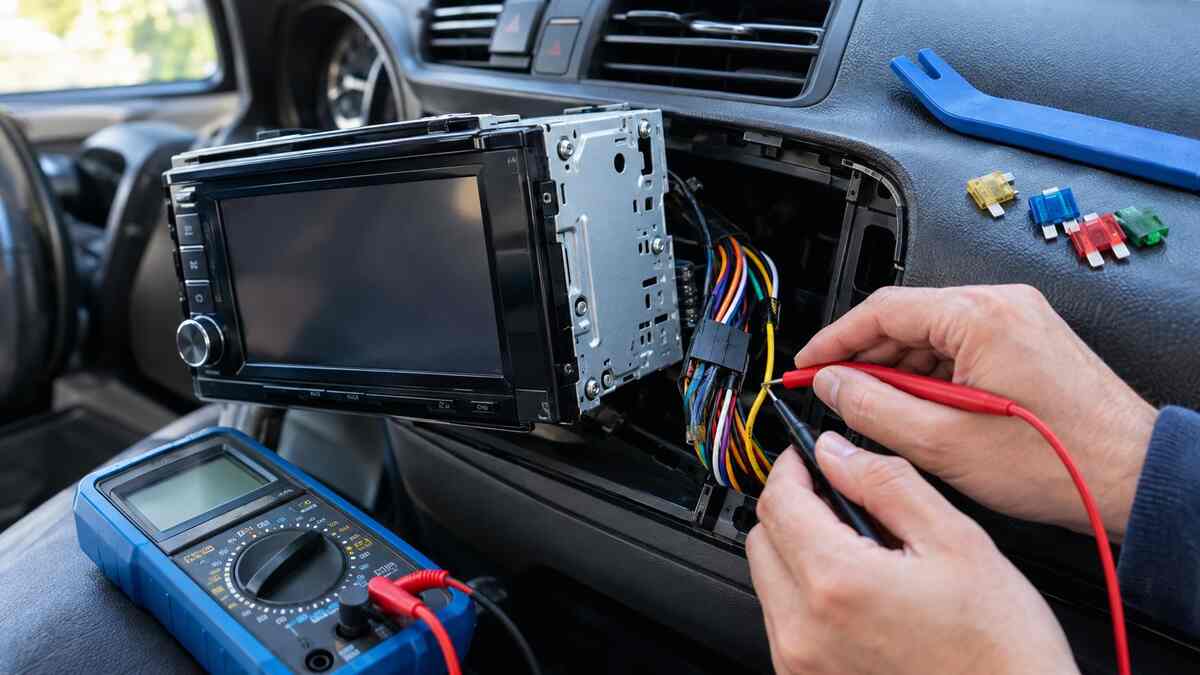
You turn the key and your Clarion stereo does nothing, or it lights up but stays silent. Before you pay for a replacement, know that many of these faults come down to a blown fuse, a loose connector, or a setting you didn’t know was on.
This guide covers practical Clarion radio repairs for the two most common problems: no power and no sound. You’ll learn the usual causes, how to test each one step by step, which fixes are safe at home, and when to hand the unit to a technician.
Why Your Clarion Radio Has No Power or No Sound
The two faults look similar from the driver’s seat, but they point to different parts of the system.
No power means the head unit isn’t getting electricity, or it has failed internally. Common causes:
- A blown fuse in the car or on the back of the radio
- A loose or corroded wiring harness connection
- A bad ground wire
- Dirty contacts on a detachable faceplate
- A failed internal power supply
No sound means the radio is on but audio isn’t reaching your speakers. Common causes:
- Mute, wrong source, or extreme volume and balance settings
- A shorted speaker wire putting the unit into protect mode
- A missing remote turn-on signal to an external amplifier
- A damaged speaker or amplifier
- A fault in the radio’s internal audio output stage
Work out which problem you have first. The fixes are different, and testing in the right order saves time.
Safety Steps and Tools You Need Before You Start
Car audio runs on 12-volt power. That’s low voltage, but a careless short can still blow fuses or damage electronics.
Before you touch anything:
- Turn the ignition off and remove the key
- Disconnect the negative battery terminal
- Don’t use metal tools behind the dash while the battery is connected
- Keep your car manual and your Clarion model’s manual (a PDF works) nearby
Tools you’ll likely need:
- A digital multimeter, the most useful tool for this job
- Trim removal tools to avoid scratching the dash
- Radio removal keys, if your Clarion uses them
- Screwdriver and socket sets
- Replacement fuses of the correct amperage
- Electrical tape or crimp connectors
- Isopropyl alcohol and cotton swabs for cleaning contacts
Disconnecting the battery can reset your clock and some trip data. In some modern cars it can also trigger a security code request on the factory radio, so check your owner’s manual first.
How to Fix a Clarion Head Unit That Won’t Turn On
If the screen is completely dark and nothing responds, work through these checks in order, starting with the easiest.
1. Check the Faceplate and Basics
If your unit has a detachable faceplate, remove it and clean the metal contacts on both the faceplate and the radio body with isopropyl alcohol. Dirty contacts are a common cause of a “dead” radio. Reattach the faceplate firmly, confirm the unit isn’t just in standby, and hold the power button for a few seconds.
2. Try a Reset
Most Clarion head units have a small recessed reset button on the front panel or behind the faceplate. Press it with a paper clip or pen tip. A reset clears software glitches but also wipes saved stations and settings.
3. Test the Power Wires
If a reset doesn’t help, pull the radio out and test the harness with a multimeter set to DC volts. If you’re new to the tool, Fluke’s multimeter guide shows how to set the dial and read the display. Then check these three wires:
- Yellow wire (constant 12V): should read about 12V with the key off
- Red wire (switched or ACC 12V): should read about 12V with the key in accessory or on
- Black wire (ground): should show continuity to bare metal on the chassis
A missing reading on any one of these explains the dead radio. Most aftermarket units follow this color standard, but confirm against your model’s wiring diagram.
Check the Fuses, Wiring Harness, and Ground Connection
Most no-power faults get solved here, so check each item carefully.
Fuses
There are usually two places to look:
- The car’s fuse box: find the radio or audio fuse in your owner’s manual.
- The back of the Clarion unit: most head units have a blade fuse, commonly 10A or 15A. Check the label on your unit.
Hold the fuse up to the light. If the metal strip is broken or the plastic looks burnt, replace it with the same amperage. Never fit a higher-rated fuse, because it can overheat the wiring.
If a new fuse blows straight away, stop replacing it. That points to a short circuit, often a pinched wire behind the dash or a damaged harness.
Wiring Harness
Look for:
- Loose, cracked, or exposed wires
- Crimp connectors that have pulled apart
- Melted plastic or burn marks
- Green or white corrosion on the pins
If you installed the radio yourself, check that the harness adapter matches your car’s plug. Swapping the yellow and red wires is a classic reason a stereo loses power or forgets its settings.
Ground Connection
A poor ground causes odd symptoms: the radio cuts out over bumps, reboots randomly, or won’t power on. Make sure the black wire is bolted to clean, bare metal, and sand off any paint or rust where it touches the chassis.
Clarion Radio Has Power but No Sound: What to Check
If the display lights up, the radio is getting power. Now you need to find where the audio signal is being lost. Start with the simple checks:
- Is the volume up and mute turned off?
- Is the right source selected (FM, Bluetooth, USB, AUX)?
- Are balance and fader pushed fully to one side? Extreme settings can silence some or all speakers.
- Does another source work? If FM plays but Bluetooth doesn’t, the problem is the source, not the speakers.
- Is Bluetooth connected to the right device, with the phone’s media volume turned up?
If you hear nothing on any source, move on to the wiring.
Fix Muted Audio: Settings, Speakers, and Amp Wiring
When the settings check out and there’s still silence, the fault is usually in the speaker or amplifier path.
Speaker Wires
A shorted speaker wire is a common culprit. Copper strands touching each other, or a wire pinched against metal, can send the radio into protect mode or kill the output. Inspect the wires at the back of the radio and at the speaker terminals.
For a quick test, connect a spare speaker directly to the radio’s speaker output wires. If it plays, the original speakers or their wiring are the problem.
External Amplifier
If your system has an aftermarket amplifier, the radio must send it a remote turn-on signal through the blue/white wire. If that wire is loose or disconnected, the amp stays off and you get silence even though the radio works.
Check the amp too. Most have an indicator light: red often means protect mode, and no light means no power. Test the amp’s power, ground, and remote terminals with your multimeter.
Factory Harness Adapters
Some cars with a factory amplifier need a special adapter so the Clarion unit can switch the amp on. Skipping it is a frequent installation mistake and leads to a radio that works but makes no sound.
Protect Mode, Error Codes, and Reset Options Explained
Many people don’t realize their radio is protecting itself.
Protect mode is a safety feature. When the unit detects a short circuit, overheating, or an electrical fault on its output, it cuts audio (and sometimes power) to prevent permanent damage. The display may show a message, or the screen may stay on while the sound is cut.
Typical triggers:
- Speaker wires shorted together or to the car body
- A faulty amplifier or speaker
- Overheating from poor ventilation behind the dash
- Incorrect wiring after installation
What to do:
- Turn the radio off and disconnect the battery for a few minutes.
- Disconnect the speaker wires and amp connections from the radio.
- Power it on with nothing connected. If the protect message clears, reconnect one speaker or output at a time to find the faulty one.
Error codes vary by model. A message like “ERROR” or a protection warning usually points to a problem with the output, the disc mechanism, or a connected device. Your model’s manual has the exact meanings, and you can download it from Clarion’s support site.
Reset options: use the front-panel reset button first. If your unit offers a factory reset in the settings menu, try that next. Either one erases your presets and audio tuning.
Common Clarion Radio Repairs You Can Do at Home
With a multimeter and a free afternoon, these jobs are realistic for most owners:
- Replacing a blown fuse in the radio or the vehicle
- Cleaning faceplate contacts
- Repairing a broken power or ground wire
- Re-crimping or replacing harness connectors
- Fixing a shorted speaker wire
- Reconnecting the amp remote wire
- Resetting the unit
- Replacing the wiring harness adapter
These fixes solve most cases and cost little beyond a few dollars in parts. They’re also the first things a professional would check, so doing them yourself can save a diagnostic fee.
Signs of Internal Damage That Need a Technician
Not every fault can be fixed with a fuse and a screwdriver. Consider professional help if:
- Power, ground, and fuse tests all pass but the unit is still dead
- You smell burning or see smoke
- The unit gets very hot and shuts off repeatedly
- The display works but every source is silent, even with known-good speakers
- The radio has been exposed to water or heavy moisture
- The power button, screen, or controls are physically damaged
These symptoms often mean a failed power supply, a blown output chip, or a damaged circuit board. Fixing them takes soldering and component-level skills. A bench technician can diagnose the fault properly, and many offer a fixed diagnostic fee before you commit to a full repair.
Clarion Radio Repairs Cost: Repair or Replace?
Prices vary by country, shop, and model, so treat these as rough ballparks and get a quote before committing.
| Repair | Typical cost (approx.) |
| Fuse or wiring fix (DIY) | A few dollars in parts |
| Professional diagnosis | Often $30 to $80 |
| Bench repair of the head unit | Often $50 to $150+ |
| New basic Clarion head unit | Roughly $80 to $200 |
| Higher-end touchscreen units | Several hundred dollars or more |
Rule of thumb: if the repair quote is more than about 50 to 60 percent of the price of a comparable new unit, replacing it usually makes more sense. A new unit also brings modern features like Bluetooth, USB, and smartphone integration.
Repair is worth considering if:
- The unit is a premium or discontinued model you like
- It fits your dash perfectly or is hard to replace
- The fault is minor and the quote is low
Check whether the unit is still under warranty before paying for anything, and keep your receipt and install details.
How to Prevent Power and Audio Problems in the Future
A few habits keep a stereo healthy for years:
- Use a proper wiring harness adapter instead of cutting factory wires
- Solder or crimp connections securely and cover them with heat shrink or quality tape
- Ground the unit to clean, bare metal
- Keep moisture out: avoid cleaning with excess liquid and fix leaks around windows and sunroofs
- Allow airflow: don’t pack the dash cavity with excess wiring or foam
- Use correctly rated fuses and never upsize them
- Avoid maxing out the volume on underpowered or mismatched speakers, which stresses the output stage
- Store a detachable faceplate safely to protect its contacts
FAQs
Why won’t my Clarion radio turn on?
The most common causes are a blown fuse, a loose power or ground wire, or dirty faceplate contacts. Check the fuses first, then test the yellow, red, and black wires with a multimeter.
Why does my Clarion radio turn on but have no sound?
Check mute, source, and balance settings first. If those are fine, look for shorted speaker wires, protect mode, or a missing remote turn-on signal to an external amp.
How do I reset my Clarion head unit?
Press the small recessed reset button on the front panel or behind the faceplate with a pen tip. Some models also have a factory reset in the settings menu. Both erase saved settings.
What does protect mode mean on a Clarion radio?
It’s a safety shutdown triggered by a short circuit, overheating, or a wiring fault. Disconnect the speaker and amp wires, power the unit on, then reconnect them one at a time to find the problem.
Is it worth repairing an old Clarion stereo?
It can be, if the repair costs well under half the price of a similar new unit or the model is hard to replace. For basic units with major internal damage, replacing is often cheaper.
How much does it cost to fix a car stereo?
Simple DIY fixes cost very little. Professional bench repairs commonly run from around $50 to $150 or more, plus diagnosis, depending on the fault and your location.
Can a blown fuse cause a Clarion radio to lose sound?
A blown radio fuse usually kills power entirely. A blown fuse on an external amplifier, however, silences the audio while the radio still lights up.
Conclusion
Most no-power and no-sound faults are simpler than they seem. A blown fuse, loose harness, bad ground, shorted speaker wire, or protect mode accounts for the majority of cases, and you can test all of them at home with basic tools.
If you’ve worked through the steps above and the unit is still dead or silent, the fault is likely internal. That’s when professional Clarion radio repairs or a replacement make sense. Get a quote, compare it with the price of a new unit, and decide based on cost and how much you value the model.
The takeaway: test the simple things first, work methodically, and only pay for repair once you’ve ruled out the easy fixes.