
Search for social media stuff EmbedTree and you’ll find several articles that each describe something different. Some call it a dashboard, others a link-in-bio page, and a few list features nobody can verify.
The short answer: the phrase doesn’t point to one confirmed product. It’s a loose label for a common and useful practice, which is collecting your social posts, videos, and links in one organized place on your website.
This guide explains what the term means, how embedding works, which platforms support it, how to build your own hub, and what it does (and doesn’t) do for SEO.
What Social Media Stuff EmbedTree Actually Means
The phrase is easier to understand in two parts.
- “Social media stuff” is casual shorthand for everything you share across platforms: short videos, photos, profile links, blog posts, podcast episodes, and product pages.
- “EmbedTree” combines two familiar ideas: embedding (showing content directly on a page) and a link tree (one page that branches out to many links).
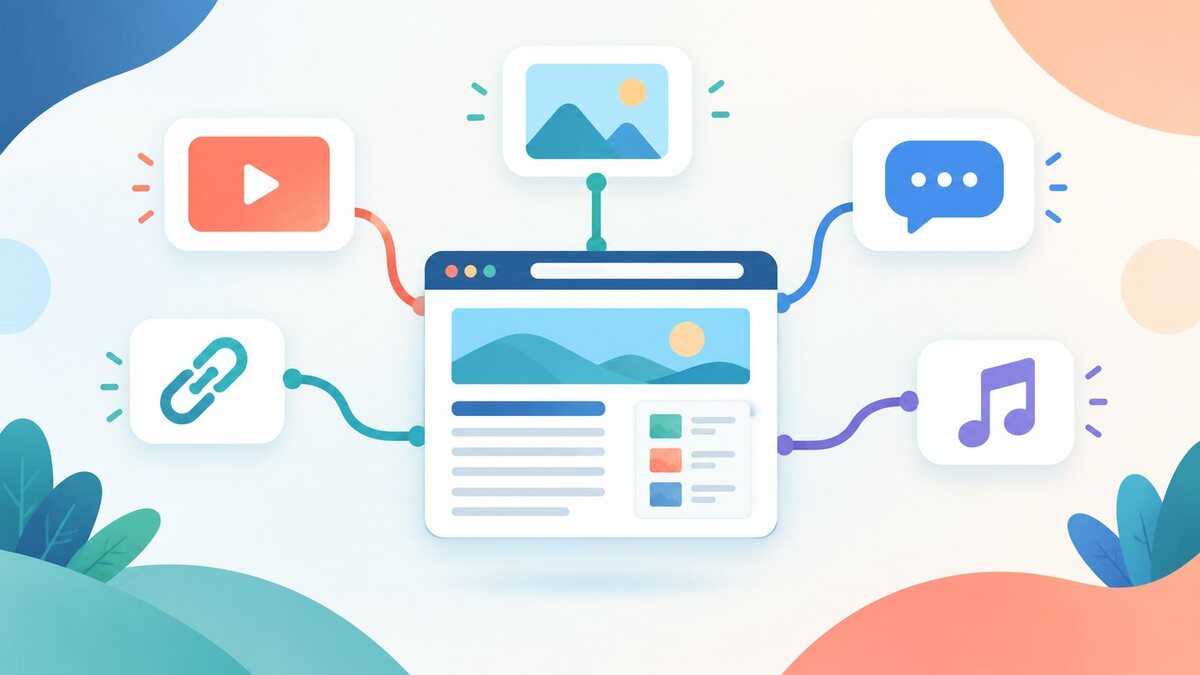
Together, they describe a central page that gathers your social content so visitors can find and use it in one place instead of jumping between apps. Think of it as a front door for your online presence: one page with your latest video, a few posts, and links to your profiles.
Is EmbedTree a Real Product or Just a Search Term?
It looks like mostly a search term.
Several articles ranking for this phrase describe it as a tool with a sign-up flow, dashboards, and daily reports. But there is no official company, website, or product page to point to. Other writers reach the same conclusion: the name works as a catch-all description, not a confirmed brand.
What this means for you:
- Be careful with “EmbedTree” claims. If a page lists exact features or pricing and links to no verifiable company, treat it with caution.
- Don’t hand over account logins to any site just because it uses the name.
- Focus on the goal, not the label. You can get the same result with tools that do exist, covered below.
The name is vague, but the need behind it is real.
Embedding vs Link-in-Bio: Two Ideas Behind the Name
The phrase blends two different things, and knowing the difference helps you choose the right setup.
Embedding
Embedding means the content plays or displays on your page. A YouTube video, an Instagram post, or a feed of recent posts appears right there, and visitors don’t have to leave.
Link-in-bio
A link-in-bio page is a simple list of buttons that send people elsewhere. Tools like Linktree and Beacons are built around this. Setup is fast, but visitors leave your page as soon as they click.
A hub that blends both is what most people mean by social media stuff EmbedTree: a few key links plus embedded media that people can watch or read without leaving.
| Feature | Link-in-bio | Embedded hub |
| Visitors stay on your page | Rarely | Often |
| Setup effort | Very low | Low to medium |
| Shows live content | Usually no | Yes |
| Best for | Quick link sharing | Showcasing content and social proof |
How Embedding Social Media Content on a Website Works
Embedding is standard web practice, and it’s simpler than it sounds.
Most platforms give you an embed code, a small HTML snippet (usually with a script) that tells your page to display the post. Many also support oEmbed, which lets a CMS turn a plain post URL into an embed automatically.
There are three common routes:
- Paste a URL. In the WordPress block editor and many site builders, pasting a post link turns it into an embed.
- Copy the platform’s embed code. Use the “Embed” option on a post, then paste the code into an HTML block.
- Use a widget tool. A third-party service pulls posts from your account and gives you one code to place on your site.
Each embed typically loads scripts from the platform. That’s convenient, but it affects page speed and privacy, which we cover later.
Which Platforms Let You Embed Posts, Videos, and Feeds?
Most major networks offer some form of embedding for public content. Options and limits change, so check each platform’s current help page before you build.
YouTube and video platforms
YouTube is the easiest. Every public video has a share option with an embed code, and you can usually adjust the size and start time.
Instagram, Facebook, and X
Individual public posts can generally be embedded from the share or three-dot menu. Private accounts and restricted posts won’t display.
TikTok, LinkedIn, and Pinterest
These also offer embed options for individual posts or boards. Display styles vary, and some load more slowly than others.
Spotify and podcast players
If your social content includes audio, Spotify and most podcast hosts offer compact players you can drop into a page.
One limit to keep in mind: some systems support only a few networks, and some organizations block social embeds by policy. If you’re building inside a school, company, or government site, check the rules first.
How to Build a Social Media Stuff EmbedTree Hub
You don’t need special software. This process works on most website builders.
Step 1: Decide what the page is for
Pick one goal, such as sending new followers to your best content or showing social proof to potential customers. A hub without a clear purpose quickly gets cluttered.
Step 2: Choose your content
Start small:
- Links to your two to four main profiles
- One featured video or post
- One recent post feed or highlight
- A single call to action (subscribe, book, or buy)
Step 3: Pick your platform
Use a page on your own website if you can. A WordPress, Wix, or Squarespace page, or a simple landing page, all work. You own the page and control its content and design.
Step 4: Add the embeds
Paste post URLs or embed codes into blocks. Put your most important item first, since visitors rarely scroll far.
Step 5: Test on mobile
Most social traffic arrives on phones. Check that embeds fit the screen, buttons are easy to tap, and nothing jumps around as the page loads.
Step 6: Keep it fresh
Swap in new content monthly. A hub showing posts from two years ago does more harm than good.
Embed Codes vs Widgets vs Link Hubs: Which to Choose
Each approach solves a different problem.
- Manual embed codes are free and give you full control. The downside is that you update them by hand.
- Social feed widgets pull in your latest posts automatically. They save time but often have paid tiers and add extra scripts.
- Link hubs are the quickest way to share many links, but they leave little room for embedded media.
A simple rule: if you post often and want the page to refresh itself, use a widget. If you only need a few featured items, use manual embeds. If you just need a bio link, use a link hub.
Best Free Tools for Building a Social Content Hub
Free plans and limits change often, so confirm current details on each tool’s site before committing. Here are well-known options by category.
- Link-in-bio tools: Linktree, Beacons, and Later’s link-in-bio feature are common starting points.
- Social feed widgets: Elfsight, Taggbox, EmbedSocial, and Juicer display feeds from several platforms. Free tiers are usually limited.
- Website builders: WordPress, Wix, and Squarespace all include native embed blocks, which is often enough on their own.
Start with your website builder’s built-in embeds. Add a widget tool only if manual updating becomes tedious.
Real-World Examples for Creators and Small Businesses
The same idea works differently depending on who uses it.
YouTube creator: Pins a featured video at the top, adds links to Instagram and a newsletter, and embeds a short TikTok clip. New fans see the best content right away.
Local bakery: Shows a feed of recent Instagram photos, a Google review snippet, opening hours, and an order button. Social proof and sales sit on one page.
Freelance designer: Embeds a few portfolio posts, a client testimonial, and a booking link. The page works like a mini portfolio without a full website.
Podcaster: Adds a Spotify player, clips for social sharing, and links to guest profiles.
In each case the pattern is the same: one clear goal, a few strong pieces of content, and one next step for the visitor.
Do Social Embeds Help SEO and Page Performance?
Not directly.
Embedding a post doesn’t pass ranking power from a social platform to your site, and content inside an embed usually isn’t treated as your page’s own text. Be wary of anyone promising big SEO gains from embeds.
There are indirect benefits:
- Longer visits. Videos and interactive content can keep people on the page.
- Social proof. Real posts and reviews can build trust and improve conversions.
- Fresh content. A live feed shows visitors your page is active.
The main risk is speed. Embeds load third-party scripts, which can slow your page and hurt Core Web Vitals, and a slow page can cancel out any benefit. Embed only what you need and lazy-load embeds so they appear as visitors scroll.
Common Embed Problems and How to Fix Them
Embeds need occasional maintenance. These issues come up most often.
- The embed doesn’t show. The original post may be private or deleted, or an ad blocker or content security setting may be blocking the script. Test in a private browser window.
- The page loads slowly. Reduce the number of embeds, use lazy loading, or replace a feed with one featured post.
- The layout jumps around. Set a fixed height or width for the embed container so the page doesn’t shift while loading.
- Cookie and privacy issues. Social embeds can set tracking cookies. If you serve visitors in regions with strict privacy rules, use a consent tool or a privacy-friendly embed option.
- Mismatched design. If an embed looks out of place, wrap it in a clean container with consistent spacing.
Best Practices for a Clean, Fast, Trustworthy Embed Page
A few habits separate a useful hub from one visitors leave quickly.
- Keep it focused. Three to six well-chosen items beat a wall of feeds.
- Lead with your best content. Put your strongest item above the fold.
- Add descriptive text. A short heading and a sentence near each embed give search engines context, since they can’t read most of what’s inside an embed.
- Offer one clear action. Subscribe, follow, book, or buy. Don’t give ten competing buttons.
- Review regularly. Check monthly for broken embeds and outdated posts.
- Be transparent. If you use a third-party service, say so and link to your privacy policy.
FAQs
What is social media stuff EmbedTree?
It’s a loose term for collecting social media posts, videos, and links into one organized page, usually through embeds or a link hub. It isn’t a single confirmed product.
Is EmbedTree free?
Since EmbedTree isn’t a verified tool, there’s no official pricing. Embedding with your website builder is free, and many link-in-bio and widget tools offer limited free plans.
Is EmbedTree the same as Linktree?
No. Linktree is a specific link-in-bio product. The EmbedTree idea goes a step further by displaying embedded media on the page rather than only listing links.
Can I embed social media posts on my website for free?
Yes. Most platforms offer free embed codes for public posts, and WordPress and other builders can embed from a pasted URL.
Do social media embeds slow down my website?
They can, because each one loads extra scripts. Limit how many you use and lazy-load them to keep pages fast.
Do embedded posts help with SEO?
Not directly. They can improve engagement and trust, which helps indirectly, but they don’t pass ranking power to your site.
Conclusion
Social media stuff EmbedTree isn’t a hidden tool you need to track down. It’s a label for a well-established habit: gathering your best social content into one clean, fast page.
If you take one thing from this guide, skip any page that sells EmbedTree as a proven product and build a simple hub yourself with the embed and link tools that already exist. Keep it focused, test it on mobile, and refresh it regularly.